Email attacks are reaching unprecedented levels in 2026, putting organizations of every size at risk. To counter these evolving threats, barracuda email gateway defense stands out as an essential solution for safeguarding communications. This guide walks IT leaders and security professionals through the latest features, setup steps, and strategies for maximizing protection. Discover how Barracuda’s trusted reputation and actionable best practices can help you stay ahead of cyber risks. Ready to secure your organization’s email? Let’s get started.
Understanding Barracuda Email Gateway Defense
In today's digital landscape, organizations face a relentless barrage of sophisticated email threats. Barracuda Email Gateway Defense stands out as a vital shield, designed to secure communication channels before malicious content can reach internal systems. For IT leaders and security professionals, understanding its architecture and capabilities is the first step toward building a resilient email security posture.
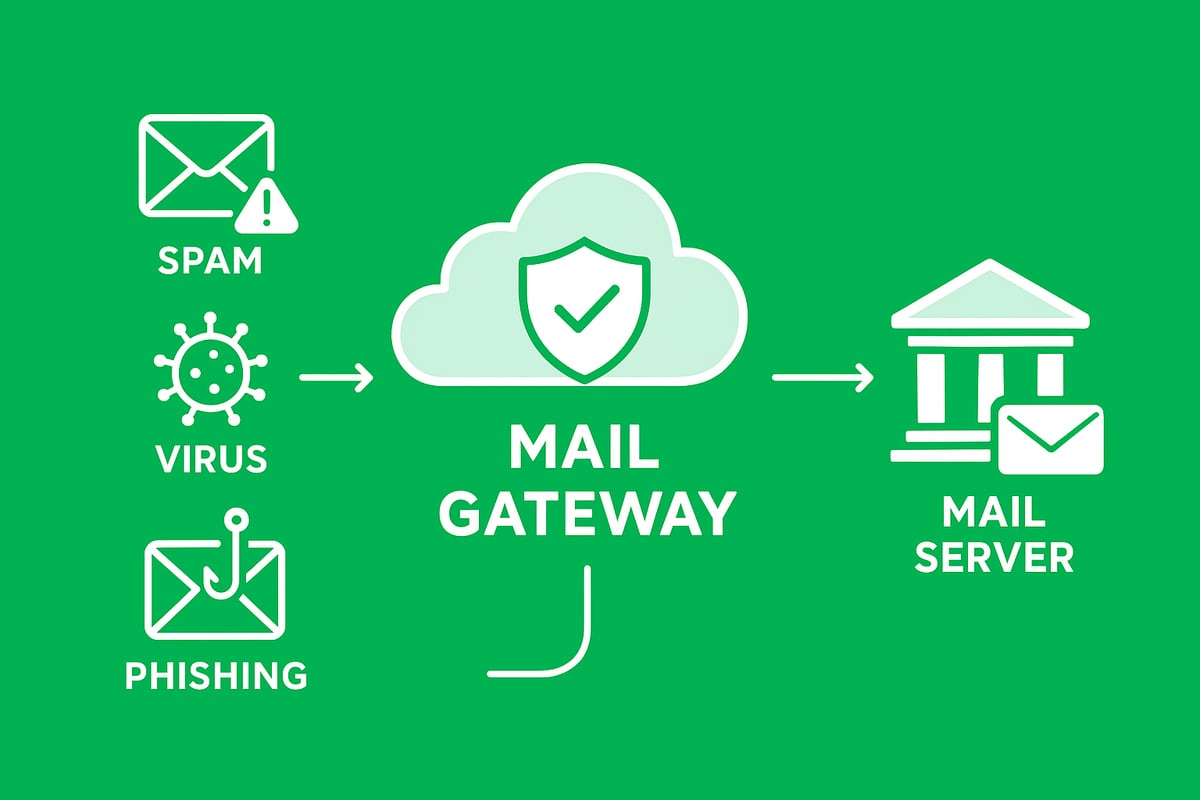
What is Barracuda Email Gateway Defense?
Barracuda Email Gateway Defense operates as a pass-through cloud service, filtering both inbound and outbound email traffic. It sits between the open internet and an organization’s hosted email service or internal mail server, acting as a robust security checkpoint.
By intercepting email before it reaches your systems, barracuda email gateway defense insulates critical infrastructure from direct exposure to internet-based threats. This not only reduces risk but also simplifies compliance and threat management.
With a reputation for reliability, barracuda email gateway defense is widely trusted across industries. Its market position is built on consistent innovation and a focus on threat intelligence, making it a preferred choice for businesses seeking comprehensive email protection.
Key Features Overview
Barracuda email gateway defense employs a multi-layered approach to threat protection. Its core features include:
- Spam, virus, worm, phishing, and DDoS protection: Multiple filters inspect each message for known and emerging threats.
- Content filtering and message analysis: Emails are analyzed before acceptance, blocking suspicious or non-compliant content.
- Sender authentication: Technologies like SPF and sender profiling validate sender legitimacy.
- Rate controls: Inbound and outbound rate limits help prevent automated spam campaigns.
- Virus scanning: Utilizes open-source engines, proprietary Barracuda Central intelligence, and the Barracuda Real-Time System (BRTS) for up-to-date malware detection.
- Advanced Threat Protection (ATP): Optional subscription enables cloud-based sandboxing of attachments to catch zero-day threats.
- Quarantine and content blocking notifications: Users and admins are promptly informed of blocked or suspicious messages.
- Encryption options: Sensitive email traffic can be encrypted to protect data in transit.
For those seeking deeper technical detail, a comprehensive list of Product features and specifications is available to guide configuration and deployment.
Why Barracuda for 2026?
The threat landscape is evolving rapidly, requiring solutions that adapt in real time. Barracuda email gateway defense is engineered to keep pace with these changes in 2026 and beyond.
Recent updates include a redesigned admin interface for easier navigation, improved scheduled reporting, and expanded regional support, such as new data centers in India. Additional controls, like SPF and GeoIP exemptions, offer more granular security and flexibility.
Barracuda continues to invest in threat intelligence and user experience, setting it apart from legacy gateway solutions that struggle to address today’s advanced attack vectors. Choosing barracuda email gateway defense means embracing a platform committed to ongoing innovation, ensuring organizations are equipped to handle both current and future email security challenges.
Setting Up Barracuda Email Gateway Defense: Step-by-Step
Successfully deploying barracuda email gateway defense protects your organization's email from the start. This step-by-step guide covers the full setup process, from initial deployment to live operation. By following these best-practice instructions, you’ll create a robust, compliant, and future-ready email security foundation.
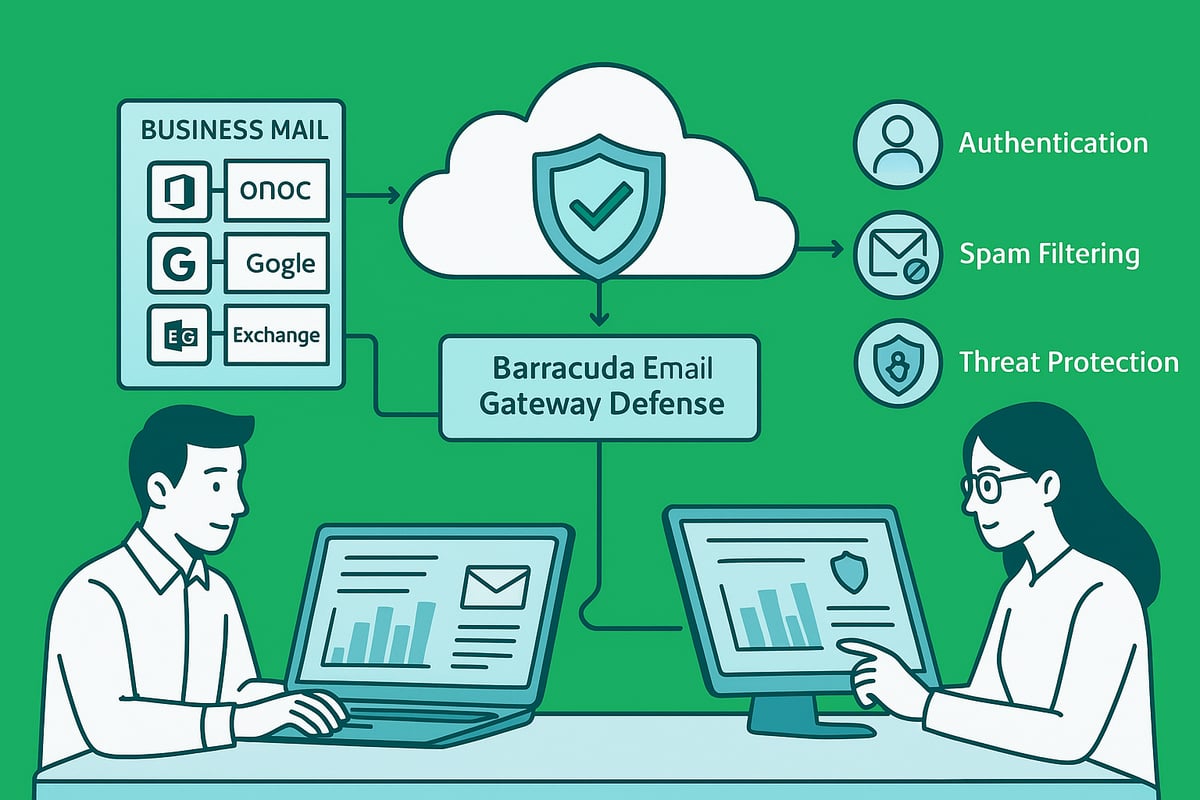
Initial Deployment and Integration
The first step in deploying barracuda email gateway defense is setting up your organization’s account. Access begins with registration through Barracuda Campus and Cloud Control, which provide centralized management and onboarding resources.
Once registered, connect barracuda email gateway defense to your existing mail servers, such as Microsoft 365, Exchange, or Google Workspace. This involves configuring secure connectors and ensuring compatibility with your chosen platform. Next, update your DNS and MX records to reroute all inbound and outbound email traffic through the barracuda email gateway defense cloud service. This critical step ensures messages are filtered before reaching your internal servers.
Refer to the Barracuda Email Gateway Defense Release Notes August 2025 for the latest deployment features and user interface changes, which may affect setup steps. Following these guidelines ensures your gateway is current and leverages all recent improvements.
Configuring Core Security Settings
After deployment, configure the essential security controls that make barracuda email gateway defense effective. Start by defining inbound and outbound filtering rules tailored to your organization’s risk profile. Enable and customize spam, virus, and phishing protections, using the multi-layered filtering options provided.
Implement sender authentication protocols such as SPF, DKIM, and DMARC within barracuda email gateway defense. These protocols verify sender legitimacy and help prevent spoofing. Set up inbound and outbound rate controls to block automated spam and potential DDoS threats.
Sender profiling features allow you to monitor sender behavior and apply stricter controls as needed. Proper configuration of these features ensures that barracuda email gateway defense identifies and blocks evolving threats while minimizing false positives. Regularly review your core settings to align with new security advisories and organizational requirements.
User Management and Access Controls
Effective user management is essential for maintaining the integrity of barracuda email gateway defense. Begin by creating and assigning admin, user, and group accounts. Set role-based permissions to control access levels and delegate responsibilities across your IT team.
For shared mailboxes or distribution lists, use temporary passcode authentication to provide secure, time-limited access. This feature in barracuda email gateway defense ensures that only authorized personnel can manage sensitive email flows. Regularly audit user accounts to remove unnecessary access and enforce the principle of least privilege.
Role-based access controls allow organizations to scale securely as teams grow or change. By managing users efficiently within barracuda email gateway defense, you reduce the risk of accidental exposure or unauthorized changes to security policies.
Testing and Go-Live Checklist
Before going live, thoroughly test barracuda email gateway defense to confirm all protections work as intended. Verify mail flow by sending test messages through the system, checking both inbound and outbound routes. Ensure that threat detection features are active by simulating common attack vectors and validating that malicious messages are quarantined.
Review quarantine and notification workflows, making sure both admins and end users receive timely alerts about blocked or suspicious emails. Confirm that barracuda email gateway defense complies with your organization’s security and regulatory policies.
Complete a final checklist:
- Validate DNS and MX changes are correct.
- Test authentication protocols (SPF, DKIM, DMARC).
- Review user roles and permissions.
- Confirm scheduled reporting and alerting functions.
Once validated, your organization can confidently rely on barracuda email gateway defense for proactive, reliable email security.
Advanced Threat Protection and Policy Management
In today’s threat landscape, advanced protection and policy management are crucial for any organization relying on barracuda email gateway defense. With attackers constantly refining their methods, Barracuda’s multi-layered approach and flexible policy controls help organizations stay ahead. Let’s explore how these defenses work together to safeguard your email environment.
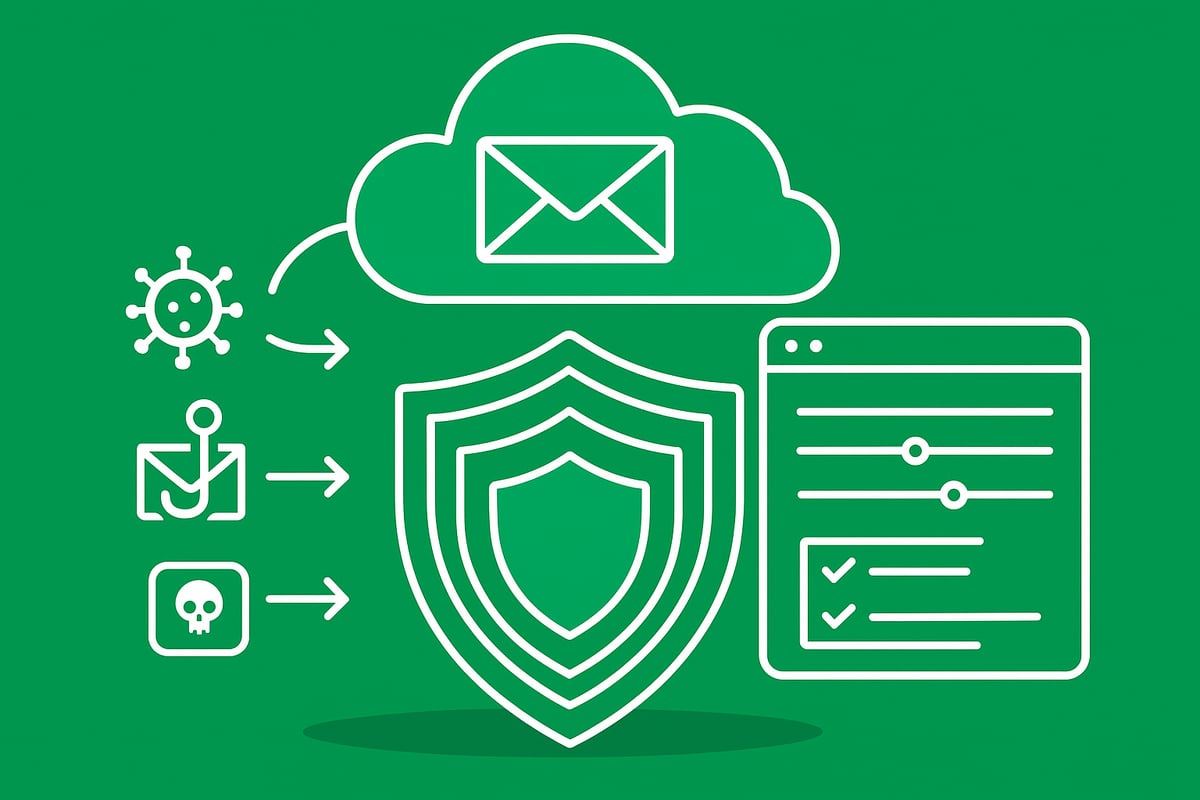
Multi-Layered Threat Detection
At the core of barracuda email gateway defense is a robust, multi-layered threat detection engine. The solution uses three distinct virus scanning layers:
- Open-source antivirus for baseline coverage
- Proprietary Barracuda Central signatures for up-to-date detection
- Barracuda Real-Time System (BRTS) for emerging threats
This layered approach ensures both known and unknown malware are identified before reaching user inboxes.
Barracuda’s Antivirus Supercomputing Grid further boosts security by analyzing patterns and behaviors across millions of emails. This system is especially effective against polymorphic viruses and mutating malware strains.
Advanced Threat Protection (ATP) takes security a step further. Suspicious attachments are sandboxed in a secure cloud environment, where they are detonated and observed for malicious behavior. For example, when a ransomware campaign targeted organizations in early 2026, ATP detected and blocked the threat before it could cause harm. With AI-driven enhancements, as highlighted in Barracuda's AI-enabled email protection innovations, detection accuracy and response times have dramatically improved.
By using barracuda email gateway defense, organizations gain confidence that evolving threats are stopped at the gateway.
Policy Customization and Enforcement
Effective email security requires policies tailored to the unique needs of each organization. Barracuda email gateway defense empowers administrators to create, apply, and enforce policies for both inbound and outbound email.
Key policy features include:
- Filtering rules for spam, phishing, and malware
- Content filtering to prevent sensitive data leaks and ensure compliance (GDPR, HIPAA)
- Quarantine management with customizable notifications for users and admins
- Scheduled and on-demand reporting for compliance and visibility
Admins can quickly adjust filtering thresholds or quarantine settings based on threat intelligence or business requirements. Scheduled reports help identify gaps in existing policies, while on-demand reports provide insights during audits or incidents.
Barracuda email gateway defense makes it easy to balance security and user experience. For instance, users receive timely notifications about quarantined messages, reducing helpdesk requests and ensuring legitimate messages are not overlooked.
Sender and Regional Policy Controls
Sender and regional controls are essential for organizations with complex communication needs. Barracuda email gateway defense supports advanced sender authentication policies, including SPF, DKIM, and DMARC. These technologies help verify the legitimacy of senders and reduce the risk of spoofing.
Administrators can configure SPF exemptions for trusted partners, ensuring that critical business emails are delivered even when strict authentication is in place. GeoIP exemptions allow organizations to permit or block emails based on country, sender address, or IP—enabling granular control over who can reach the network.
For example, if a business-critical partner operates from a region typically blocked for security reasons, admins can whitelist that partner’s domain or IP address without exposing the organization to additional risk. This flexibility is vital as global business continues to expand.
By leveraging sender and regional policy controls within barracuda email gateway defense, organizations maintain strong security while supporting legitimate business communications.
User Experience and Administration Enhancements
Staying ahead of advanced threats in 2026 requires not only powerful technology but also a streamlined experience for users and administrators. Barracuda email gateway defense delivers on both, blending robust protection with usability upgrades that drive efficiency across your organization.
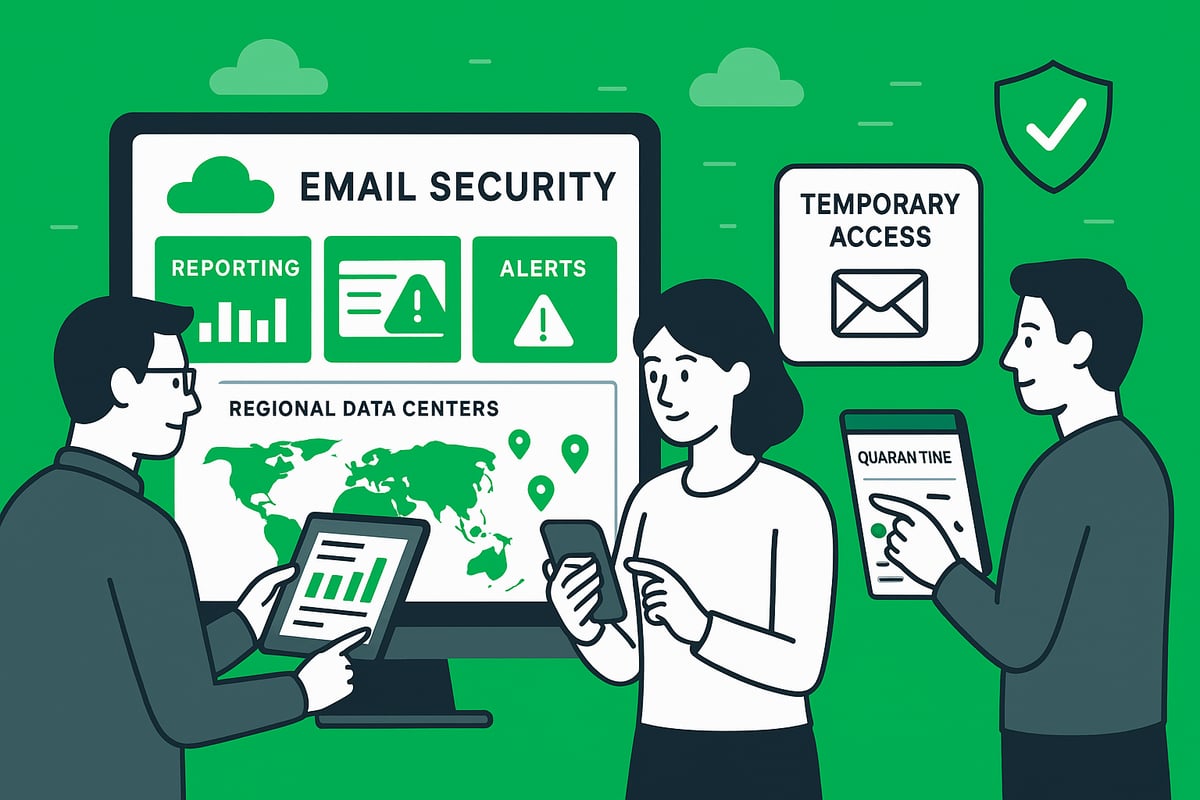
Updated Admin and End-User Interfaces
The latest updates to barracuda email gateway defense include a redesigned admin interface that simplifies navigation and reduces the time needed for critical tasks. With a modern layout, administrators can switch between the new UI and the legacy version for familiarity during the transition.
End-users benefit from an improved sidebar menu and clearer quarantine access. This empowers employees to manage their own quarantined messages, reducing help desk requests and supporting a self-service culture. The intuitive design ensures that users can quickly find what they need, whether reviewing blocked emails or adjusting notification settings.
For organizations managing large volumes of email, these interface enhancements translate into significant time savings. Admins can monitor threats, adjust policies, and respond to incidents without wading through complex menus. Ultimately, barracuda email gateway defense keeps security strong while making day-to-day management less of a burden.
Reporting, Alerts, and Notifications
Barracuda email gateway defense introduces powerful reporting features designed for compliance and operational oversight. Automated scheduled reports are delivered directly to inboxes as CSV attachments, making it easy for teams to track security trends and policy effectiveness.
Customizable alerting lets both admins and users receive real-time notifications about important events, such as detected threats or policy changes. This proactive approach supports rapid response to incidents and keeps everyone informed. For organizations facing regular audits, leveraging scheduled reporting streamlines compliance by providing ready access to historical data.
To further enhance your reporting strategy, explore email security blog articles for expert insights and up-to-date best practices on monitoring and compliance. With these tools, barracuda email gateway defense ensures that your organization stays ahead of threats and meets regulatory requirements with confidence.
Delegated Administration and Temporary Access
Managing access securely and efficiently is critical in any enterprise. Barracuda email gateway defense enables delegated administration, allowing distributed IT teams to manage specific domains or user groups without exposing the entire system. This supports organizations with multiple locations or those experiencing rapid growth.
Temporary passcode authentication is another standout feature, designed for shared mailboxes and distribution lists. IT teams can grant short-term access to specific users without compromising broader security controls. This is especially valuable during employee turnover, onboarding, or when staff roles change.
Role-based permission management adds another layer of control, letting administrators assign precise levels of access based on job function. Together, these enhancements ensure barracuda email gateway defense remains both flexible and secure for complex organizational needs.
Regional Availability and Scalability
As data residency and compliance requirements evolve, barracuda email gateway defense expands its regional reach to support organizations worldwide. Recent growth into new regions, such as India, enables businesses to meet local regulations while maintaining the highest standards of protection.
Scalability is built into the platform, allowing seamless support for organizations of any size—from startups to multi-site enterprises. Multi-site organizations can centralize their email security while maintaining granular control over local policies. This flexibility ensures that barracuda email gateway defense adapts as your business grows and requirements shift.
By leveraging these regional and scalability advancements, organizations can confidently deploy barracuda email gateway defense in diverse, dynamic environments. The platform’s architecture supports growth, compliance, and security without sacrificing performance or usability.
Best Practices for Secure Email with Barracuda in 2026
Securing your organization’s email in 2026 means staying proactive, vigilant, and adaptive. The landscape of email threats is evolving, but with the right strategies and barracuda email gateway defense, you can stay ahead of attackers. Here are the most effective best practices for maximizing your protection.
Proactive Threat Monitoring and Response
Effective protection starts with ongoing vigilance. Leverage real-time threat intelligence from Barracuda Central to identify and neutralize emerging risks before they impact your users. Automated incident response workflows help you quarantine suspicious emails, minimizing disruption and data loss.
For example, when a phishing outbreak is detected, barracuda email gateway defense can automatically isolate affected messages and alert your security team. This rapid response is vital, especially as FBI reports $262 million lost to account takeover scams in 2025, underscoring the need for advanced monitoring.
Policy Optimization and Regular Review
Regularly review and refine your security policies to ensure your defenses remain robust. With barracuda email gateway defense, schedule periodic audits of filtering rules, sender authentication, and regional controls to adapt to new threats and evolving business needs.
Use scheduled reports to pinpoint policy gaps and adjust configurations as required. Optimizing these settings ensures your organization remains resilient against both known and unknown attack vectors.
Employee Training and Awareness
Technology is only as strong as its users. Integrate Security Awareness Training, such as PhishLine, to complement your barracuda email gateway defense. Educate employees on how to handle quarantine notifications, recognize suspicious messages, and follow safe email practices.
Organizations that implement regular training typically see a significant reduction in successful phishing attempts. Empowering your users makes them an active line of defense against ever-changing email threats.
Integration with Broader Security Ecosystem
For comprehensive protection, connect barracuda email gateway defense with your SIEM, XDR, and incident response tools. This integration enables unified reporting and faster response across both email and network layers.
Leverage data archiving and compliance solutions, like Cloud Archiving Service, to maintain regulatory alignment and facilitate audits. Unified visibility strengthens your organization’s ability to detect and respond to threats holistically.
Staying Updated with Barracuda Innovations
Continuous improvement is key to staying secure. Regularly monitor Barracuda Campus for feature updates, security advisories, and new best practices. Participating in training and certification programs ensures your team is always proficient with barracuda email gateway defense.
Rely on About our email protection expertise for access to expert resources and onboarding support. Staying informed and engaged enables your organization to adapt quickly to the evolving threat landscape.