In 2026, cybercriminals are pushing the boundaries with increasingly sophisticated mcafee phishing attacks, putting everyone’s digital life at risk. Over 80% of security breaches now begin with a phishing email, according to the 2025 McAfee Threat Report.
Traditional defenses are no longer enough. This guide equips you with the latest strategies, expert insights, and advanced tools developed by McAfee to help you spot, stop, and recover from phishing attacks.
Explore the new face of phishing, learn how to recognize scams, and discover step-by-step protection methods. By the end, you’ll be ready to outsmart even the most cunning cybercriminals in 2026.
The Evolution of Phishing: 2026 Threat Landscape
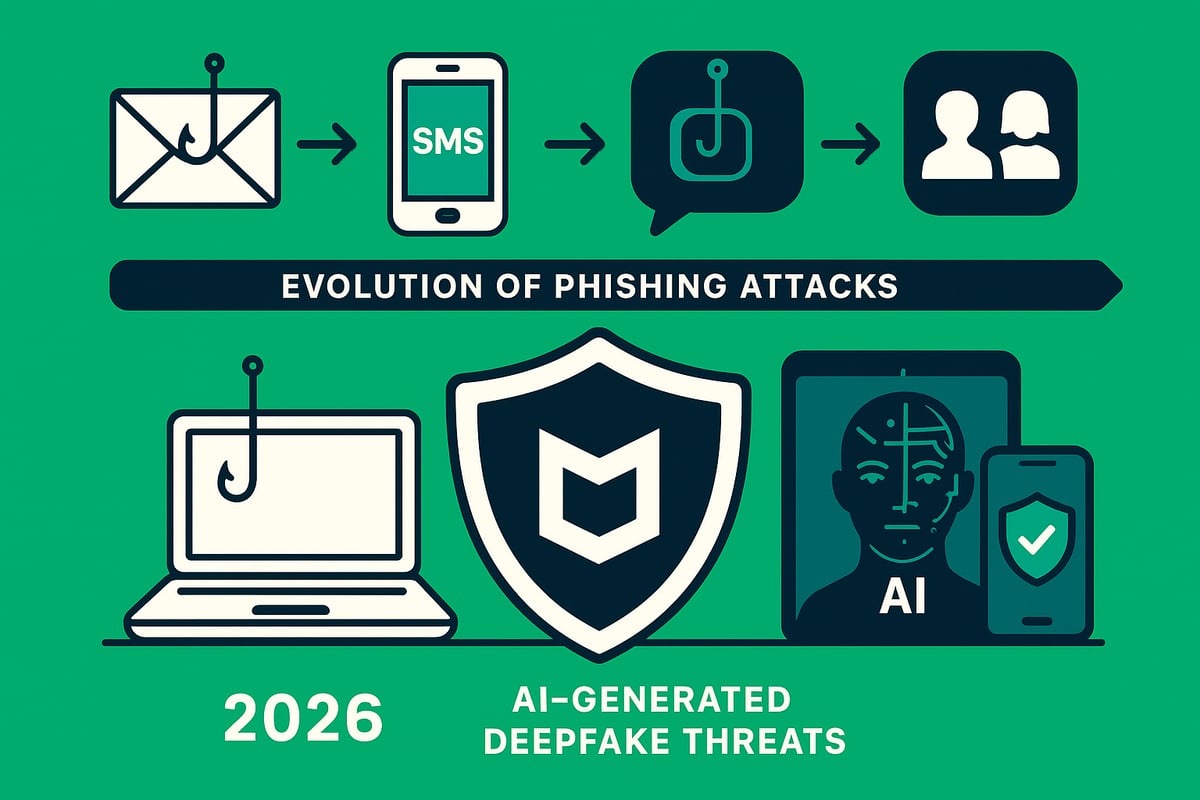
Phishing has transformed dramatically over the past two decades. What began as crude email scams now includes highly orchestrated, multi-channel attacks that adapt as technology evolves. Today, mcafee phishing research shows that attackers leverage not only emails but also SMS, social media, and collaboration platforms to reach their targets.
In 2025, phishing attacks surged by 65 percent, with SMS-based "smishing" and social media phishing accounting for 40 percent of incidents. According to the Phishing activity statistics: August to October 2025, these trends continue into 2026, reflecting the relentless innovation of cybercriminals. Attackers now use AI-generated emails, deepfake voice and video calls, and advanced social engineering to bypass traditional security measures.
The mcafee phishing landscape in 2026 is shaped by several key threats:
- Business Email Compromise (BEC): Sophisticated impersonation of executives or partners to manipulate employees.
- Account Takeover: Using stolen credentials to access sensitive systems.
- Credential Harvesting: Fake login pages and malicious attachments designed to steal usernames and passwords.
- Ransomware via Phishing: Malicious links or files that deploy ransomware upon clicking.
A notable example in 2025 involved a spear-phishing campaign against a major bank. Attackers used AI to craft personalized messages, leveraging breached data to impersonate senior executives. In another incident, a WhatsApp phishing scheme targeted students with fake scholarship offers, resulting in widespread credential theft. These cases illustrate how mcafee phishing tactics have become more targeted and convincing.
Attack vectors for 2026 phishing attacks are diverse. Below is a summary table of the most common channels and their prevalence:
| Attack Vector | Prevalence in 2025/2026 | Example Use Case |
|---|---|---|
| 70% | Fake bank notifications | |
| SMS ("Smishing") | 20% | Delivery scam texts |
| Social Media/DMs | 15% | Phishing via WhatsApp |
| Collaboration Tools | 10% | Slack/Teams credential theft |
Why does mcafee phishing remain such a persistent threat? Several factors contribute:
- Human error and lack of awareness
- Increasingly convincing impersonation using AI
- Expanding digital footprints across platforms
- Attackers’ ability to exploit new communication channels rapidly
McAfee’s experts continuously monitor emerging phishing tactics and rapidly update their defense strategies. Their commitment to adapting mcafee phishing protection ensures users stay ahead of evolving threats, combining human expertise with advanced technology to outpace cybercriminals.
Anatomy of a Phishing Attack: How Scammers Trick You
Phishing attacks in 2026 are more sophisticated and deceptive than ever before. Understanding the anatomy of these schemes is crucial to building a strong mcafee phishing defense and staying one step ahead of cybercriminals.
The Phishing Process: Step-by-Step Breakdown
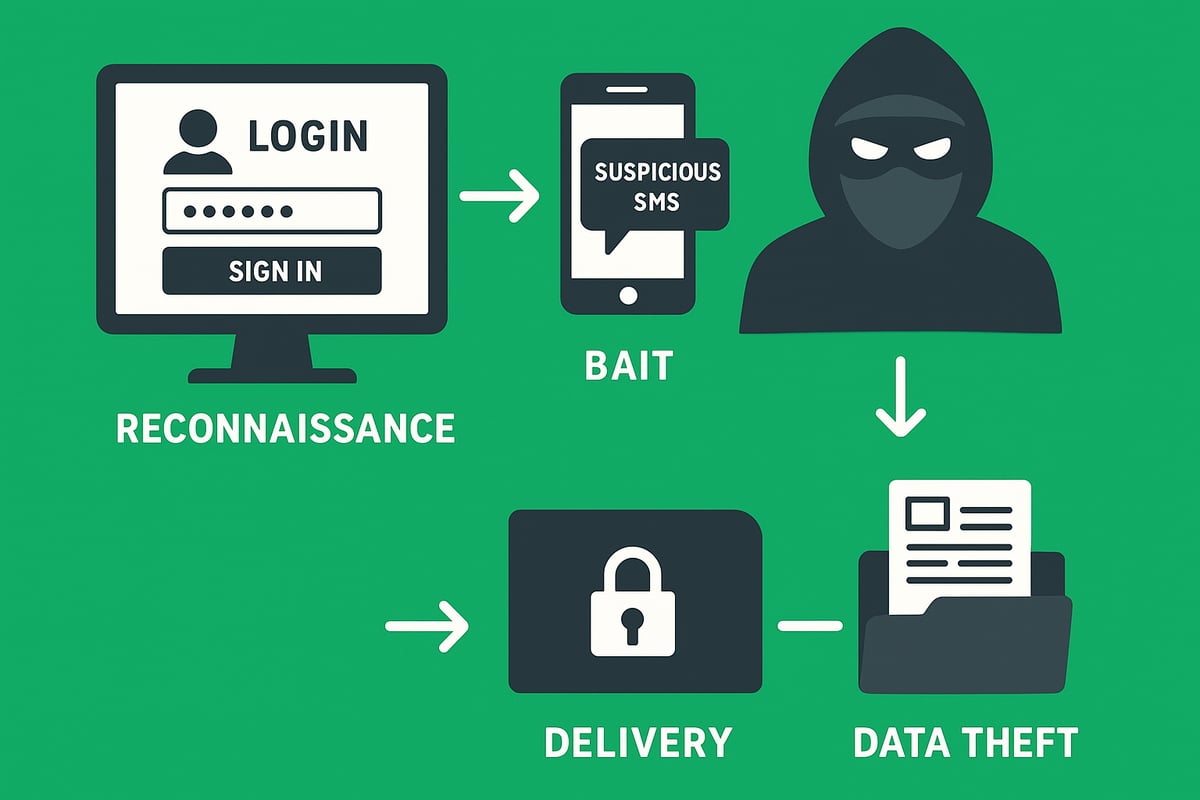
Every phishing attack follows a calculated sequence. Here is how scammers operate in the mcafee phishing landscape:
-
Reconnaissance: Attackers gather information about targets from social media profiles, leaked databases, or company websites. This helps personalize their approach.
-
Crafting the Bait: Using the collected data, scammers design convincing messages. These emails, texts, or calls appear to come from trusted brands or colleagues, making them harder to detect.
-
Delivery Methods: The bait reaches victims through several channels:
- Email (the most common)
- SMS/text messages
- Phone calls (vishing)
- Social media DMs
- Messaging apps
-
The Lure: Messages often create a sense of urgency. Phrases like "Your account is suspended, verify now" or "Immediate action required" are designed to trigger panic and quick responses.
-
Payload: The message includes malicious links, fake login pages, or attachments. Clicking or downloading these can install malware or lead to credential theft.
-
Data Extraction: Once the victim interacts, credentials or sensitive data are harvested. Attackers may also install spyware for ongoing surveillance. In fact, credential theft surged 160% in 2025, illustrating the scale and impact of advanced phishing campaigns.
-
Monetization: Stolen information is sold on the dark web, used for account takeover, or leveraged for identity theft and financial fraud.
Summary Table: Steps in a Phishing Attack
| Step | Description |
|---|---|
| Reconnaissance | Gathering target information |
| Bait Crafting | Creating personalized, convincing messages |
| Delivery | Sending via email, SMS, calls, or social platforms |
| Lure | Using urgency or fear to prompt action |
| Payload | Links to fake sites or malware attachments |
| Data Extraction | Harvesting credentials or personal information |
| Monetization | Selling data or direct financial exploitation |
Recognizing each phase of this mcafee phishing lifecycle empowers users to interrupt attacks before damage occurs.
Red Flags: How to Spot a Phishing Attempt
Identifying phishing can be challenging, but certain warning signs are consistent across most attacks. Watch for these mcafee phishing red flags:
- Suspicious Sender Details: Check if the email address or display name seems off. Attackers often use addresses similar to legitimate ones but with subtle differences.
- Generic Greetings and Errors: Messages that start with "Dear user" or contain poor grammar and spelling mistakes are classic indicators.
- Unusual Requests: Be wary of emails asking for wire transfers, gift card purchases, or password resets that seem out of the ordinary.
- Mismatched URLs: Always hover over links to check the true destination. Fake domains and shortened URLs are common tactics.
- Unexpected Attachments or Requests: Legitimate organizations rarely ask for sensitive information or send unsolicited attachments.
- Pressure Tactics: Phrases like "Act now or lose access" are designed to force hasty decisions.
Example: Anatomy of a Real Phishing Email
From: support@micorsoft-secure.com
Subject: Account Suspended - Immediate Action Required

Dear Customer,

We have detected suspicious activity on your account. Please click the link below to verify your details and restore access.

[Verify Now] (malicious-link.com)

Failure to act will result in permanent suspension.
Quick Checklist for mcafee phishing Detection:
| Red Flag | What to Check |
|---|---|
| Sender address/display name | Minor spelling changes, unusual domains |
| Greeting and language | Generic, unprofessional, error-filled |
| Requests or instructions | Uncommon, urgent, or financial in nature |
| Links and attachments | Hover to preview, avoid unknown files |
| Sense of urgency | Threats of loss, suspension, or missed offers |
By staying alert to these warning signs, you can dramatically reduce your risk of falling victim to mcafee phishing attempts. Sharing these tips with colleagues and family further strengthens your collective defense.
Types of Phishing Attacks in 2026
Phishing attacks have rapidly evolved, with scammers adopting more advanced tactics each year. In 2026, understanding the main types of phishing is crucial for any effective mcafee phishing defense strategy. Attackers now use a variety of platforms and methods, targeting both individuals and organizations.
Below is a quick comparison of the most prevalent phishing attacks in 2026:
| Attack Type | Main Channel | Notable Feature |
|---|---|---|
| Classic Email Phishing | Mass campaigns | |
| Spear Phishing & Business Email Compromise | Highly targeted, research-driven | |
| Smishing & Vishing | SMS, Voice Calls | Mobile and phone-based |
| Social Media & Messaging App Phishing | Social, Messaging Platforms | DMs, impersonation |
| Emerging Threats: Deepfakes & AI-Driven | Multi-channel | AI-generated, deepfakes |
Classic Email Phishing
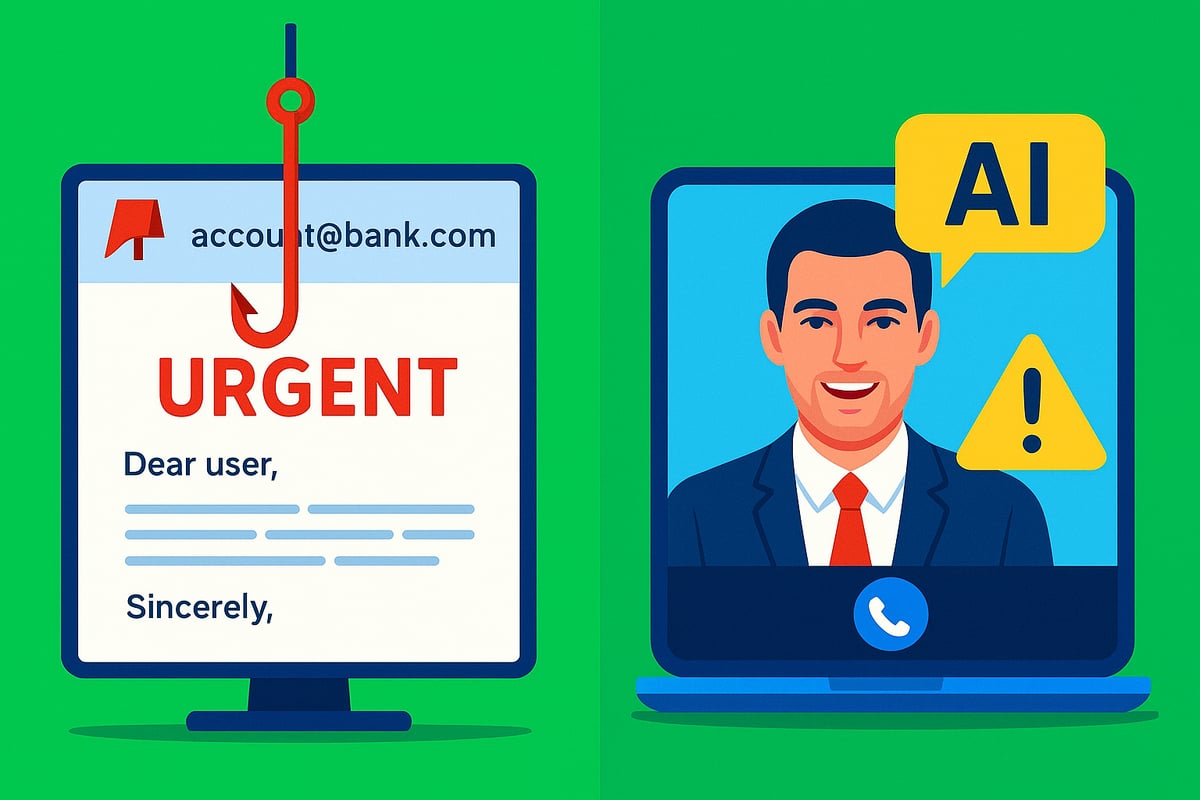
Classic email phishing remains the most common form of attack, accounting for nearly 70 percent of phishing incidents according to mcafee phishing research. Attackers send out massive volumes of fraudulent emails, often imitating banks or trusted services. These messages typically urge recipients to click a link or download an attachment, leading to credential theft or malware infection.
For example, a user might receive an email appearing to be from their bank, warning of suspicious activity and requesting immediate verification. The link directs to a fake login page designed to steal credentials. While these campaigns are widespread, attackers also refine their approach, making some messages appear highly convincing.
Spear Phishing & Business Email Compromise (BEC)
Unlike mass email campaigns, spear phishing and BEC are highly targeted. Attackers conduct detailed research on individuals or organizations before crafting personalized messages. This makes mcafee phishing detection more challenging for even experienced users.
In 2025, BEC losses soared to $2.4 billion globally, with scams often involving impersonated executives directing employees to transfer funds or share sensitive data. A typical example is CEO fraud, where a fake request for a wire transfer is sent from what appears to be the company’s top executive. Such attacks can devastate businesses financially and reputationally.
Smishing and Vishing
With the rise of mobile device usage, smishing (SMS phishing) and vishing (voice phishing) have become prominent threats. Attackers send texts or make calls pretending to be legitimate companies, aiming to manipulate victims into sharing personal information or clicking malicious links. The mcafee phishing team has noted a sharp increase in these mobile-targeted attacks.
A common scenario involves a fake delivery notification text, prompting users to click a link to "track" a package. The site then asks for credentials or payment details. Similarly, vishing scams might involve a call from "tech support" urging immediate action to fix a non-existent problem. These attacks exploit the trust and urgency associated with mobile communications.
Social Media and Messaging App Phishing
Attackers are now exploiting social and messaging platforms more than ever. Platforms like WhatsApp, Facebook, LinkedIn, and Slack are frequent targets for mcafee phishing investigations. Scammers often send direct messages containing malicious links or requests for confidential information.
A trending tactic is the "You’ve been tagged in a photo" scam, where users receive a message inviting them to view a photo or post. Clicking the provided link leads to a fake login page or malware installation. The informal nature of these platforms can make users more susceptible to manipulation.
Emerging Threats: Deepfakes and AI-Driven Phishing
As technology advances, so do phishing tactics. Attackers now harness AI to generate highly convincing messages, fake voices, and even deepfake videos. The mcafee phishing landscape in 2026 includes threats like AI-generated CEO video calls requesting urgent fund transfers or synthetic identities manipulating entire conversations.
Defending against these sophisticated attacks requires advanced solutions. Tools such as AI-powered email security solutions analyze emails in real time, flagging suspicious content and helping users stay ahead of AI-driven scams. As deepfakes and synthetic media continue to improve, combining human vigilance with smart technology is essential for robust protection.
Step-by-Step Guide: How to Protect Yourself from Phishing in 2026
Staying ahead of phishing threats in 2026 requires a proactive, layered approach. The landscape has changed, but with the right strategies and mcafee phishing expertise, you can dramatically reduce risk. Follow this practical, step-by-step guide to secure your digital life and business.
1. Strengthen Your Digital Hygiene
Strong digital hygiene is your first line of defense against mcafee phishing attacks. Start by creating unique, complex passwords for every account. Use a reputable password manager to keep them organized and secure.
Enable multi-factor authentication (MFA) everywhere possible. MFA adds a critical layer that stops attackers even if they steal your password. According to Microsoft’s 2025 report, MFA blocks 99 percent of account hacks. Regularly update all software and devices to patch vulnerabilities.
Stay alert for suspicious activity. Good habits form the foundation of effective mcafee phishing prevention.
2. Master the Art of Phishing Detection
Recognizing phishing attempts is essential in mcafee phishing defense. Always double-check sender details and scrutinize email addresses. Hover over links before clicking to preview the destination and watch for mismatched URLs.
Be skeptical of urgent or threatening language. Phishing simulation tools, like those found in many security suites, can sharpen your instincts. Practice makes perfect.
Leverage tools such as McAfee WebAdvisor, which helps you identify risky sites and links. Consistent vigilance is key to spotting mcafee phishing attempts before damage occurs.
3. Secure Your Devices and Networks
Protecting your devices and network infrastructure is a crucial mcafee phishing safeguard. Install reputable antivirus and anti-malware solutions, such as McAfee Total Protection, to block malicious downloads and attachments.
Activate firewalls on all devices and keep your security software updated. When using public Wi-Fi, always connect through a trusted VPN to encrypt your traffic and prevent interception.
McAfee’s VPN can block access to known phishing sites even on unsecured networks. Prioritizing device and network security stops mcafee phishing attacks at the source.
4. Protect Personal and Business Data
Minimizing your digital exposure helps reduce mcafee phishing risks. Limit the amount of sensitive information you share online, both personally and professionally.
Regularly review privacy settings on social media and messaging platforms. Monitor your accounts for any unusual or unauthorized activity. McAfee Identity Monitoring provides breach alerts, letting you respond quickly if your data appears on the dark web.
By safeguarding your data, you make it harder for mcafee phishing attackers to exploit your digital footprint.
5. Respond Quickly to Suspected Phishing
Fast action is critical if you suspect a mcafee phishing attempt. Never click on suspicious links or reply to questionable emails. Report incidents immediately to your IT or security team, or to your internet service provider.
If you think an account is compromised, change passwords right away and enable security alerts. Use account recovery procedures to regain control. McAfee’s Scam Protection reporting tool makes it simple to alert authorities and prevent further damage.
A swift response limits the impact of mcafee phishing and accelerates recovery.
6. Educate Yourself and Others
Ongoing education is a powerful mcafee phishing deterrent. Attend cybersecurity awareness training regularly and encourage colleagues and family to do the same. Share real-world phishing stories to reinforce learning.
Stay updated with the latest threats by following the McAfee blog and subscribing to threat alerts. Phishing simulation programs have been shown to reduce incidents by 60 percent, according to a recent McAfee study.
Continuous learning keeps you ahead of evolving mcafee phishing tactics and empowers your entire network.
AI-Powered Email Security: The Role of Ṣọ Email Security
AI-driven solutions are revolutionizing mcafee phishing protection for individuals and businesses alike. Tools like Ṣọ Email Security analyze emails in real time, flagging suspicious links, attachments, and sender anomalies with remarkable speed and accuracy.
With less than 0.8 percent false positives and threats neutralized in under two milliseconds, these solutions deliver enterprise-grade defense. Gmail and Outlook users can easily get started with a free browser extension, requiring no technical expertise.
To implement these advanced defenses, visit Getting started with phishing protection for a practical guide. Combining AI with mcafee phishing best practices creates a comprehensive shield against modern threats.
McAfee’s Tools and Solutions for Phishing Protection
In 2026, the mcafee phishing suite stands as a robust defense against increasingly complex scams across email, SMS, social media, and apps. McAfee’s layered approach combines real-time detection, proactive alerts, and intelligent analysis to help users stay ahead of cybercriminals.
Comprehensive Feature Set
McAfee phishing protection includes several core solutions designed for today’s threat landscape:
- Total Protection: Guards against phishing websites, malicious attachments, and unsafe downloads with real-time scanning.
- WebAdvisor: Warns users before visiting risky sites and blocks phishing links in emails and messages.
- Scam Protection: Detects and blocks suspicious emails and texts, using advanced algorithms to alert users when scams are detected.
- Identity Monitoring: Scans the dark web and notifies users if their personal data is found, enabling a swift response.
- Parental Controls & Family Plans: Extends protection across all household devices, ensuring children and adults are shielded from phishing attempts.
- Mobile Security: The McAfee app for iOS and Android scans SMS messages and app links for phishing threats.
These solutions work together to create a seamless, user-friendly experience, making mcafee phishing defense accessible to individuals and organizations alike.
Feature Comparison Table
| Feature | Desktop/Laptop | Mobile Devices | Family Protection | AI/ML Threat Detection |
|---|---|---|---|---|
| Total Protection | ✔️ | ✔️ | ✔️ | ✔️ |
| WebAdvisor | ✔️ | ✔️ | ✔️ | ✔️ |
| Scam Protection | ✔️ | ✔️ | ✔️ | ✔️ |
| Identity Monitoring | ✔️ | ✔️ | ✔️ | ✔️ |
| Parental Controls | ✔️ | ✔️ | ✔️ | ✔️ |
McAfee phishing solutions stand out due to their use of AI and machine learning for threat detection, 24/7 updates, and an intuitive interface suitable for all users.
Case Study: Rapid Response in Action
In 2025, a major healthcare provider faced a sophisticated spear-phishing campaign. Attackers targeted staff with convincing emails that appeared to come from internal IT, attempting to harvest credentials and deploy ransomware. Thanks to mcafee phishing protection, the organization received immediate alerts, malicious emails were quarantined, and no sensitive data was compromised.
Layered Security and Complementary Solutions
While mcafee phishing tools form the backbone of digital defense, combining them with additional technologies enhances protection. For example, integrating advanced solutions like Email security product features ensures a multi-layered approach, analyzing threats in real time and closing gaps that traditional tools might miss.
Ultimately, the mcafee phishing suite provides comprehensive, proactive, and user-friendly protection, helping individuals and businesses safeguard their data and stay resilient against evolving cyber threats.
What To Do If You Fall Victim: Immediate Steps and Recovery
Realizing you have been targeted by a phishing attack can be overwhelming. Quick action is crucial to minimize damage and protect your information. Many mcafee phishing victims are unaware until they notice suspicious account activity or receive unexpected password reset notifications.
Recognizing You’ve Been Phished
Common signs include unauthorized transactions, unfamiliar devices accessing your accounts, or sudden password changes. If you spot any of these, assume your information may be compromised.
Take Immediate Action
Unplug your device from the internet or disconnect from Wi-Fi to halt any ongoing data theft. Immediately change passwords for all affected accounts. Activate multi-factor authentication (MFA) wherever possible to prevent further unauthorized access.
If malware is suspected, run a full security scan using your mcafee phishing protection tools. This can help identify and isolate threats before they spread.
Contact Key Organizations
Notify your bank or financial institution right away if sensitive data or funds are at risk. Contact credit bureaus to place fraud alerts and monitor for identity theft.
If you are part of an organization, report the incident to your IT or security team. For significant breaches or financial loss, contact law enforcement, such as the FBI or IC3. According to recent FBI reports $262 million stolen in account takeover scams in 2025, phishing-related scams are a growing threat that require immediate escalation.
Leverage McAfee Phishing Recovery Tools
Use mcafee phishing solutions like identity restoration services, security scans, and credit monitoring to assess and contain the impact. McAfee’s advanced tools can help detect lingering threats and guide you through recovery.
Enable real-time alerts for suspicious activity. Take advantage of features that monitor the dark web for your data. These steps are vital to regaining control and preventing future incidents.
Report the Attack
Forward phishing emails to reportphishing@apwg.org or use the built-in reporting options in your mcafee phishing dashboard. Reporting helps authorities and security vendors track new threats and protect others.
Monitor and Protect Your Accounts
Set up alerts for unusual account activity. Regularly review statements and login histories across all your accounts. Early detection is essential for a swift response.
Remain vigilant for follow-up attacks, as scammers often attempt repeated access after an initial breach.
Learn and Strengthen Security
After recovery, review how the breach occurred. Update your digital hygiene practices and educate yourself using trusted resources. Ongoing learning, such as reading expert advice from Email security blog and tips, strengthens your defenses.
Remember, having a clear action plan makes a difference. In fact, 40% of mcafee phishing victims recover faster when they know exactly what steps to take.
The Future of Phishing: Predictions and How to Stay Ahead
The future of mcafee phishing is shaped by rapid advancements in both cybercrime and cybersecurity. As we look toward 2026, attackers are leveraging artificial intelligence to craft more deceptive and targeted phishing campaigns. This evolution means that traditional defenses alone are no longer enough to keep users safe in the digital world.
The Rise of AI and Evolving Techniques
Cybercriminals are now deploying AI to generate highly convincing phishing emails, deepfake audio, and synthetic videos. These tools enable attacks that bypass many traditional filters, making detection much harder. For example, a recent AI-driven hacking campaign linked to China uncovered demonstrates how sophisticated these attacks have become, using machine learning to personalize and automate outreach at scale. As attackers become more resourceful, mcafee phishing solutions must constantly evolve to stay ahead.
Anticipated Threats and the Expanding Battlefield
Looking forward, experts predict an increase in deepfake-based phishing, hyper-personalized scams, and attacks targeting IoT devices. These threats are summarized below:
| Threat Type | Description | Why It Matters |
|---|---|---|
| Deepfake Phishing | Fake voices/videos to impersonate executives | Harder to spot, high impact |
| Personalized Phishing at Scale | AI tailors messages using breached data | More believable, higher success |
| IoT Device Attacks | Phishing via smart devices and networks | Expands attack surface |
With mcafee phishing technology, users can defend against these new vectors, but it is crucial to remain vigilant as the battlefield expands.
The Importance of Vigilance and Layered Defenses
While technology plays a key role, human awareness remains critical. Phishing simulations, regular training, and ongoing education help users recognize and avoid scams. Combining mcafee phishing tools with solutions like Ṣọ Email Security and adopting best practices creates a strong, resilient defense.
Best practices for the future:
- Stay updated with mcafee phishing alerts and security blogs
- Use multi-factor authentication everywhere
- Regularly review privacy and device settings
- Participate in security awareness training
Proactive, informed users are the strongest defense against tomorrow’s phishing threats. By staying educated and leveraging layered security, you can outsmart even the most advanced cybercriminals in 2026.